Your template, per account.
Assign independent ATM templates to the accounts in a profile. Keep participation explicit with an enabled state for each route.
THE ATM COMMANDER PLATFORM
A desktop workspace for traders who manage more than one account and want the execution details in one place.
STANDARD + PRO
Your enabled routes share a command. Each route uses its own account, instrument, and native ATM template.
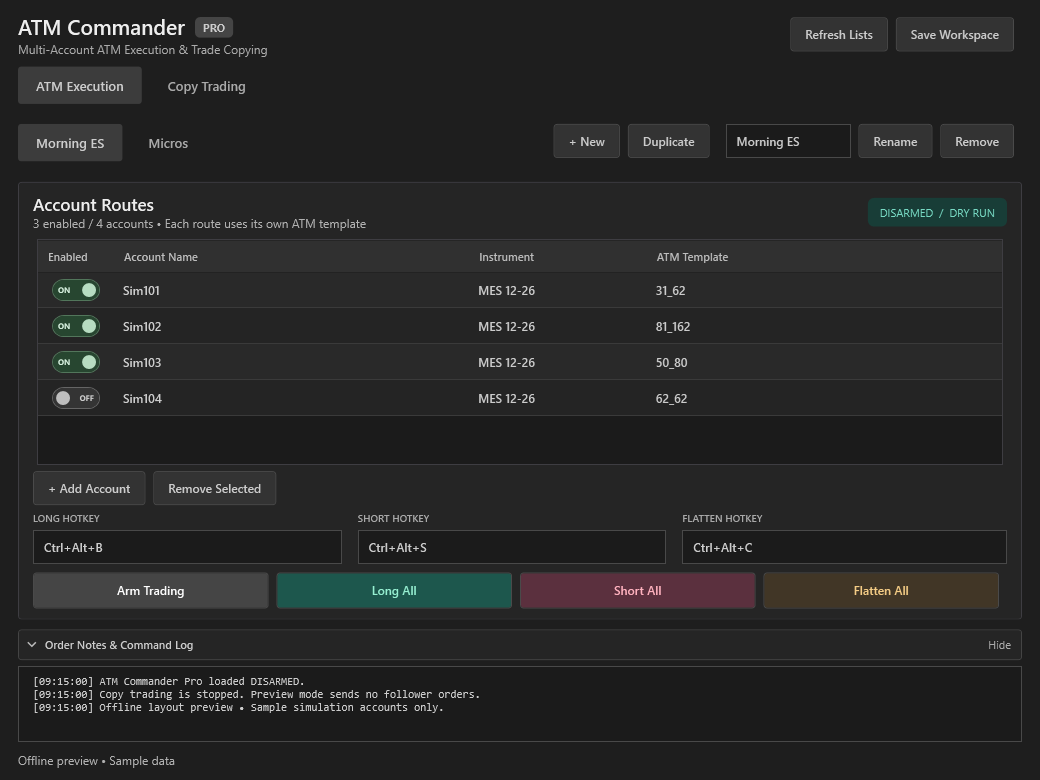
Assign independent ATM templates to the accounts in a profile. Keep participation explicit with an enabled state for each route.
Create separate ATM profiles for your setups. Switching profiles requires a fresh review before arming execution.
Dry run and configurable hotkeys keep your commands close. Expand the order notes and command log when you need the detail; collapse it to give account rows more room.
ATM Commander works with NinjaTrader ATM templates. It does not provide trade signals or select a trading strategy for you. Learn about NinjaTrader ATM strategies ↗
ATM COMMANDER PRO
Local order mirroring with separate profiles, explicit sizing, and session-level controls. Native simulation testing is still in progress.
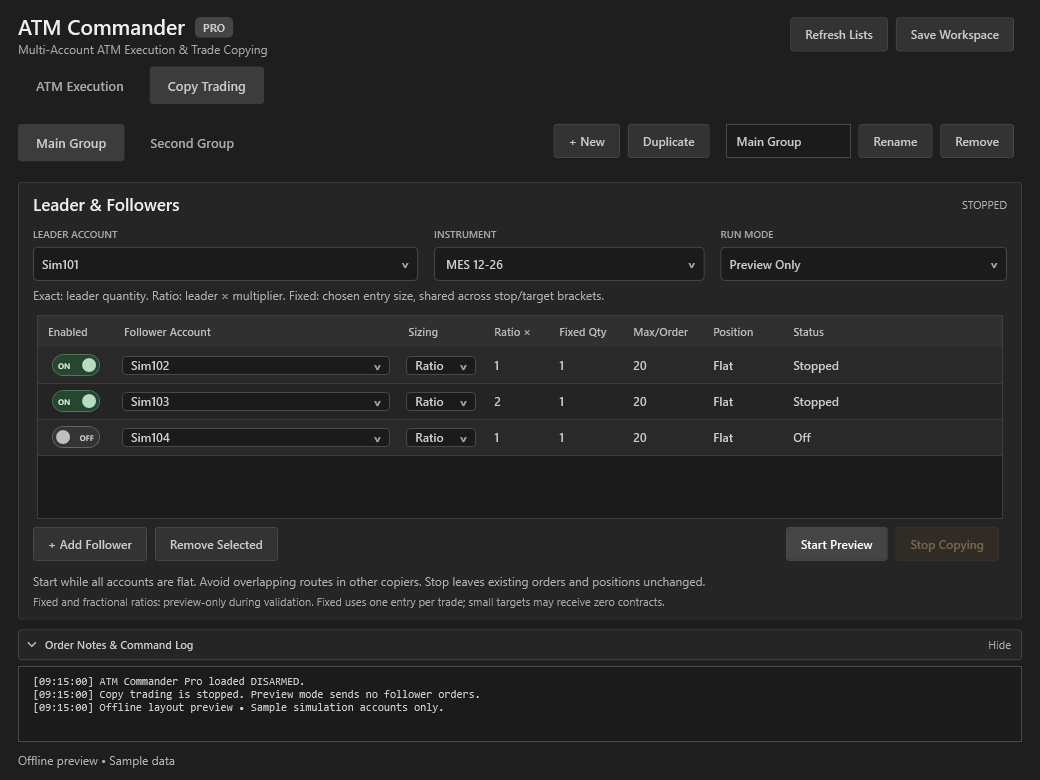
The copy design covers new entries, protective orders, changes, and cancellations. Each follower still depends on its own connection and order acceptance.
Run independent copy profiles with their own leader, instrument, and follower selection. Conflicting follower routes must be resolved before starting.
Exact sizing matches the leader order quantity. Ratio applies a multiplier. Fixed and fractional sizing remain restricted to preview while exit handling is validated.
Existing orders and positions remain. Review the account state in NinjaTrader and use the appropriate account order controls whenever you need to manage open exposure.
KNOW THE SCOPE
Built as an add-on for NinjaTrader 8. The planned copier uses accounts connected to the same running NinjaTrader instance.
Contract lists and saved profiles are being validated against NinjaTrader rollover data. Always verify the contract before arming; active orders must not be silently moved.
The current build opens execution disarmed and copy sessions stopped. Preview modes are intended to inspect instructions without sending follower orders.
Your broker or firm determines account permissions, trading hours, and applicable rules. Software settings do not override those requirements.
Final supported versions, release features, installation steps, and known limitations will be documented before launch.
View Release Status ↗BUILD YOUR WORKSPACE
ATM execution in Standard. Local copy trading in Pro.